Use cases
A screen for every kind of thing your agent builds.
omabox started as a way to test desktop apps without losing your desktop. Agents use it for more now: anything that needs a screen and shouldn't touch yours.
Each use below is the same story. What you ask, what the agent does in its box, what you get, then the commands it runs, for when you want to type them yourself.
Desktop apps
Your app, built and clicked through.
GTK, Qt, Tauri, Electron or a TUI. An agent that can see its window gets the UI right; one that can't says "done" when it compiled.
You ask
“Add the settings dialog and make sure it works.”
In the box
It builds, opens the app with
look appand gets back its window's shot and any error it printed. It clicks through withkeysandclick, reads the result as text withtree, fixes, and looks again. The tests that need a session (tray, notifications, D-Bus, a keyring) run in a box that comes and goes with the run.You get
A shot of the finished dialog and green tests. Your desktop never saw a window.
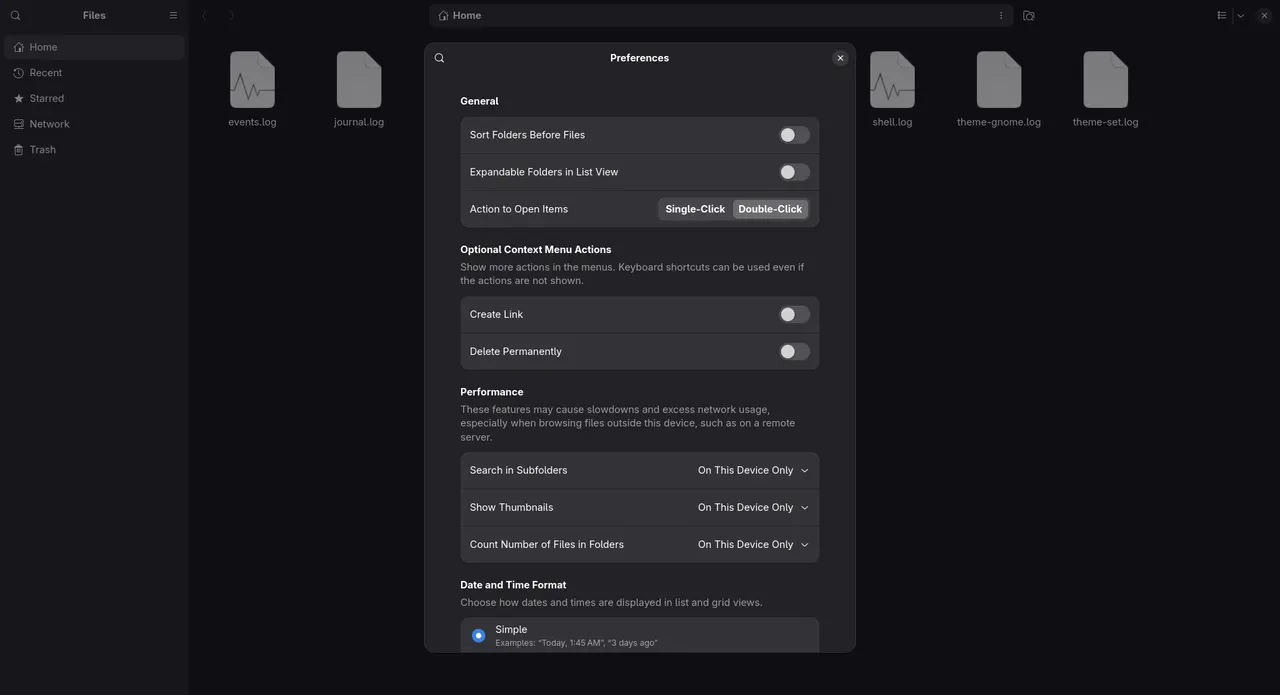
look app: a throwaway box, the app, a shortcut sent, its window
shot, nothing left up.$ omabox look app --keys "ctrl+comma" -- ./build/app $ omabox tree --find "Dark mode" --window app # text, not a shot $ omabox run -- ctest --test-dir build --output-on-failure
Web apps and games
A real browser, with real frames.
A headless browser runs a page's animation loop only two or three times a run, so a game or a canvas never really moves. In a box, Chromium draws every frame on a screen nobody sees.
You ask
“The canvas flickers when I resize. Find out why.”
In the box
look pageopens it in Chromium, holds keys over many frames, takes a row of shots into one contact sheet, and reports the page's uncaught exceptions and failed loads. It narrows the window to a phone's width withmode.You get
The frames where it flickers, the exception behind it, and the fix. No browser window on your screen.
$ omabox look page http://127.0.0.1:5173
$ omabox look page game.html --hold Right 2s --shots 6
$ omabox mode 412x915                        # phone width
From the box, reach your dev server at 127.0.0.1, not localhost.
--net isolated --allow 5173 keeps the box to that one port.
Shells, plugins and themes
Checked in a bar that isn't yours.
A bar plugin, an Omarchy theme, a Quickshell or Waybar config. The agent loads it in a box, reads what it shows, and tells you what a person would notice, before anything reaches your desktop.
You ask
“Check my plugin's panel in three themes.” Or: “Is this theme readable?”
In the box
look pluginloads it in a bar and reads the widget's text and its panel's without a screenshot.look themeapplies a theme for real and names what is wrong: text too faint on its background, a colour no fallback resolves, a wallpaper too bright for a dark theme.snapshotanddifflist what an install wrote: autostart entries, units, mimeapps.You get
A shot per theme, a contrast report, and the files the install touched.
Omarchy plugins and themes need an Omarchy box. DMS, Noctalia, Caelestia, Waybar or any Quickshell config runs in a plain one: Desktops.
$ for t in tokyo-night catppuccin nord; do
    omabox look plugin ./my-widget --open --fresh --theme $t -o $t.png
  done
$ omabox look theme ./my-theme
$ omabox snapshot before   # then install it in the box
$ omabox diff before
Your own desktop
Your setup, tried on a copy of it.
Your Hyprland config, your shell and its wallpaper, copied into a box. The agent changes the copy, runs it, and shows you. The session you're typing in never reloads.
You ask
“Move my bar to the left and show me before I switch.” Or: “Why doesn't my workspace rule fire?”
In the box
up --desktop deskcopies your~/.config/hypr, your shell's config and the images they name. Never a secret store or anything that looks like a key, and none of your files but the repo you start from. Your config runs there, minus idle and lock daemons. The agent edits the copy, the box reloads it, and it takes the shot.You get
The change, tried on your own setup, and the list of files it changed in the copy, for you to carry over yourself.
Trying someone else's rice? Load it in a box first. What a box blocks and what it doesn't is on Safety: omabox is not a security boundary.
$ omabox up --desktop desk --autoreload
$ omabox snapshot before   # then edit the copy: it reloads
$ omabox shot
$ omabox diff before       # every file the agent changed
More on boxes of your own desk, and the shells it finds: Your own desk.
Demos, screenshots and docs
Film what you made, while you keep working.
A demo, a README shot, a store page. In a box there's no window to keep still, no notification landing mid-take, no cursor to keep out of the way. Every picture on this site was taken in a box.
You ask
“Make a 20-second clip of the new panel for the README.”
In the box
It records, marks each scene, drives the app, and stops with the clicks and keys drawn in and the marks as captions. It reads the take as one contact sheet instead of watching it, and fixes the scene that went wrong.
You get
An MP4 and its captions file, from a script it can run again after the next change.
$ omabox record start -o demo.mp4 --glide 600ms
$ omabox record mark "open the panel"
$ omabox record stop --show-input --captions --cut-idle --sheet
With its sound, and nobody hears it
A box started with --audio has its own speaker nobody hears and a silent microphone;
record --audio puts the sound in the video.
$ omabox up --audio
$ omabox record start --audio -o player.mp4
Shots at 2x or 4K, whatever your monitor is
Laid out as 1920x1080 in twice the pixels: a 3840x2160 shot, or a 4K video, from a laptop.
$ omabox up --size 3840x2160,scale=2
$ omabox shot --window app -o app@2x.png
A clean setup, not yours
Omarchy's stock bar on a stock theme, the clock frozen at "Friday 12:00", user user on host
omabox, no pointer, no network. Your git name and email still show in a git log.
$ omabox up --clean --theme tokyo-night --keep wallpaperMonitors you don't own
Portrait, ultrawide, mixed scales, each with its own bar. Virtual, so no real HDR, VRR or suspend.
$ omabox up --monitor 2560x1440,scale=1.6,below \
    --monitor 1080x1920,right
$ omabox record start --monitor all -o layout.mp4
Hard bugs
Find the crash before your users do.
A screen going away is what a monitor in standby, a KVM switch or a dock does, and it's where shells crash. In a box, the agent can do it fifty times in a row.
You ask
“My plugin crashes when a monitor comes back. Find it.”
In the box
It unplugs a monitor again and again until the shell falls over, with gdb waiting on it. The first crash stops the run and the backtrace lands in the box's log.
You get
The backtrace of the thread that crashed, and a fix to try. Your session never notices.
$ omabox gdb --shell --watch &
$ omabox output drop --cycles 50
$ omabox log gdb --crash
Not in an interactive box: its screens are windows on your desktop. gdb traces the box's processes only, never your host's.
Several at once
Three branches, three boxes.
Each agent session gets its own box, named after its repo or worktree, so three agents on three branches take three shots to compare while you keep typing. A lead agent hands each subagent a box and a 15-line brief, not the whole manual.
You ask
“Try the three layouts on their own branches and show me them side by side.”
In the boxes
One agent a worktree, one box an agent. None of them sees the others' windows, input or test runs, and each box goes when its agent exits.
You get
Three shots, one per branch, and the one you pick to merge.
$ omabox ls                  # every box up, one per agent
$ omabox brief -b app-grid   # for a subagent's prompt
Using a box for something not here? Tell us: omabox's issues.
Give every agent a desktop of its own.
git clone https://github.com/diogochaves/omabox && cd omabox && ./install.shAny Hyprland 0.56+ · fullest on Omarchy · AMD, Intel or NVIDIA · MIT